
Decoding Keyboard Prices: Are You Paying for Features or Just a Name?
Why Does a $150 Keyboard Look So Much Like a $50 One?
If you’ve ever shopped for a new keyboard, you’ve likely faced a confusing wall of options. You’ll see two keyboards that look remarkably similar, both offering wireless connectivity and cool lighting effects, yet one costs three times as much as the other. What gives? Is the more expensive one truly better, or are you just paying for a brand name and a fancy box?
The Journey from Factory to Your Desk: A Tale of Hidden Markups
The truth often lies in the complex journey a product takes before it reaches you. For many consumer electronics, the supply chain can look something like this: Factory -> Brand -> Distributor -> Retailer -> You. Each step in this chain adds its own markup to cover costs like marketing, shipping, and profit margins. In many cases, a significant portion of the final retail price isn’t for better components, but for brand advertising and the profits of several middlemen.
This is especially true for peripherals like keyboards, where core technology is widely available. The real difference in cost often comes down to how many hands the product passes through before it gets to yours.
How to Spot a High-Value Keyboard: A Buyer’s Checklist
Instead of getting swayed by brand hype, savvy buyers focus on the features that actually matter. When you’re looking for the best value, here’s what to prioritize:
- Versatile Connectivity: The gold standard today is “tri-mode” connectivity. A keyboard that offers USB-C wired, 2.4G wireless, and Bluetooth gives you maximum flexibility to connect to your PC, laptop, tablet, or phone seamlessly.
- The Right Feel & Sound: While mechanical keyboards are popular, modern silent membrane keys are perfect for shared environments like an office or a dorm room. They provide a comfortable, quiet typing experience without sacrificing responsiveness.
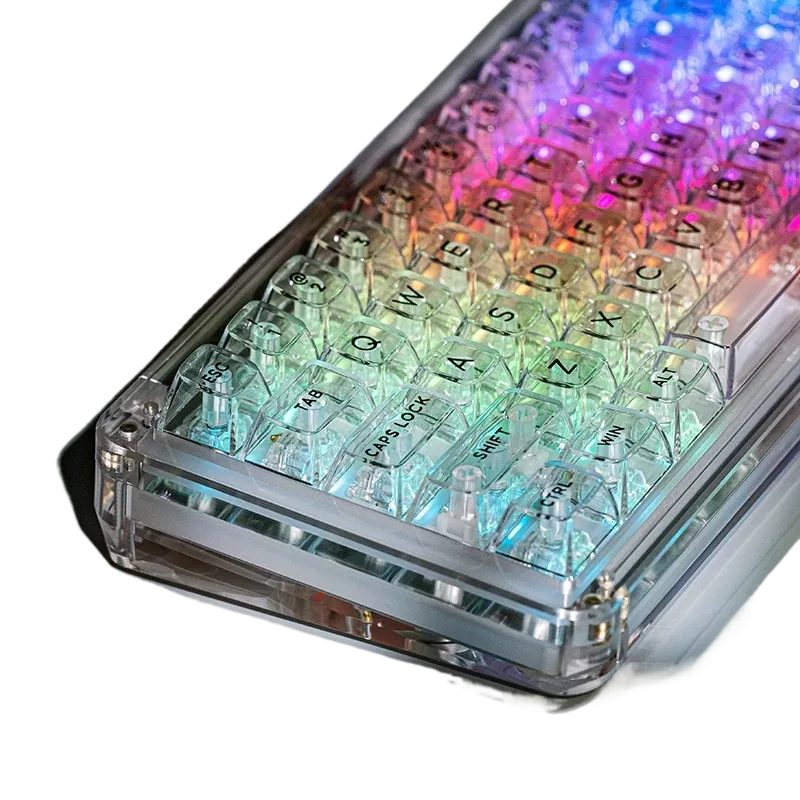
- Essential Features: Look for features that enhance your experience. Customizable RGB backlighting adds personality to your setup, and durable keycaps made from materials like ABS ensure the letters won’t fade away after a few months of use.
- Smart Layout: A compact layout (around 88-98 keys) is a fantastic middle ground, saving desk space without sacrificing essential keys like the number pad.
Sourcing Smarter: An Insider Look at the L98 Keyboard
Now, let’s apply that checklist to a real-world example. Products with “OEM/ODM” in their name often signal that you’re getting closer to the manufacturing source, bypassing some of those costly layers of branding and distribution. A perfect case in point is the allwinOEM/ODM L98 Tri-Mode Wireless Keyboard.
Let’s see how it stacks up against our value checklist:
- Tri-Mode Connectivity: Check. It offers wired, 2.4G wireless, and Bluetooth to connect to all your devices.
- Quiet Operation: Check. Its silent membrane keys are ideal for focused work or late-night gaming without disturbing anyone.
- Modern Aesthetics & Durability: Check. It comes with vibrant RGB backlighting and long-lasting ABS keycaps.
- Compact & Functional: Check. The layout provides a full range of functions while maintaining a clean, space-saving footprint.
This keyboard packs in the premium features you’d expect from a much more expensive model. By sourcing closer to the factory, you get the technology and quality without paying extra for a famous logo.
Upgrade Your Setup with Factory-Side Value
Choosing your next keyboard shouldn’t be a guessing game. By understanding where the costs come from, you can make a smarter choice based on features, not just marketing. For anyone who needs a versatile keyboard that can switch from serious work to immersive gaming, the L98 Tri-Mode Keyboard is a prime example of getting more for your money.
Ready to stop overpaying for a brand name? Discover the features and direct-from-source value packed into the allwinOEM/ODM L98 Keyboard. It’s the perfect, quiet upgrade for the savvy buyer who demands performance without the premium price tag.


Add comment