
Sourcing Secrets: Why Your Custom Mechanical Keyboard Costs More Than It Should
The Mechanical Keyboard Puzzle: Why Do Prices Vary So Wildly?
Walk into any electronics store or browse online, and you’ll find a dizzying array of mechanical keyboards. You’ll see sleek, minimalist designs for $50, and you’ll see flashy, RGB-laden gaming behemoths for $200 or more. But often, when you look at the core specifications—the switches, the build materials—they don’t seem all that different. So what gives? Why the huge price gap?
The answer often lies not in the product itself, but in the journey it takes to get to you. Understanding this journey is the key to finding incredible value.
The Trip from Factory to Desk: Unpacking the Costs
The world of consumer electronics, especially popular categories like mechanical keyboards, involves a long supply chain. In many cases, the process looks something like this:
- The Factory (OEM/ODM): A manufacturer designs and produces a high-quality keyboard. They are the original source.
- The Brand: A well-known brand buys this keyboard, often with minor tweaks, and puts their logo on it. This is the “OEM” (Original Equipment Manufacturer) model.
- Marketing & Distribution: The brand invests heavily in marketing, packaging, and international shipping.
- Retailers: Importers, distributors, and final retailers each add their own markup to cover their costs and make a profit.
By the time that keyboard reaches your desk, its price has been inflated by multiple layers of markups. The core product is the same, but you’re paying for branding, marketing, and the profits of several middlemen. This is especially true for products that offer customization, as complexity can be used to justify higher prices.
How to Spot Real Value in a Mechanical Keyboard
As a savvy buyer, you can bypass these markups by looking closer to the source. Instead of focusing only on the brand name, pay attention to the core features that define a great typing experience:
- Switch Type: Are the switches from a reputable maker? Do you have options (e.g., clicky, tactile, linear) to match your preference?
- Build Quality: Does it have a sturdy frame and quality keycaps? An ergonomic design is a huge plus for long sessions.
- Customization: Can you change the colors or other features? True customization is a sign of a versatile, well-engineered product.
When you find a product that offers these features without a famous logo attached, you’re likely looking at something much closer to the factory source—and the factory price.
A Perfect Example: The allwinOEM/ODM Customizable Keyboard
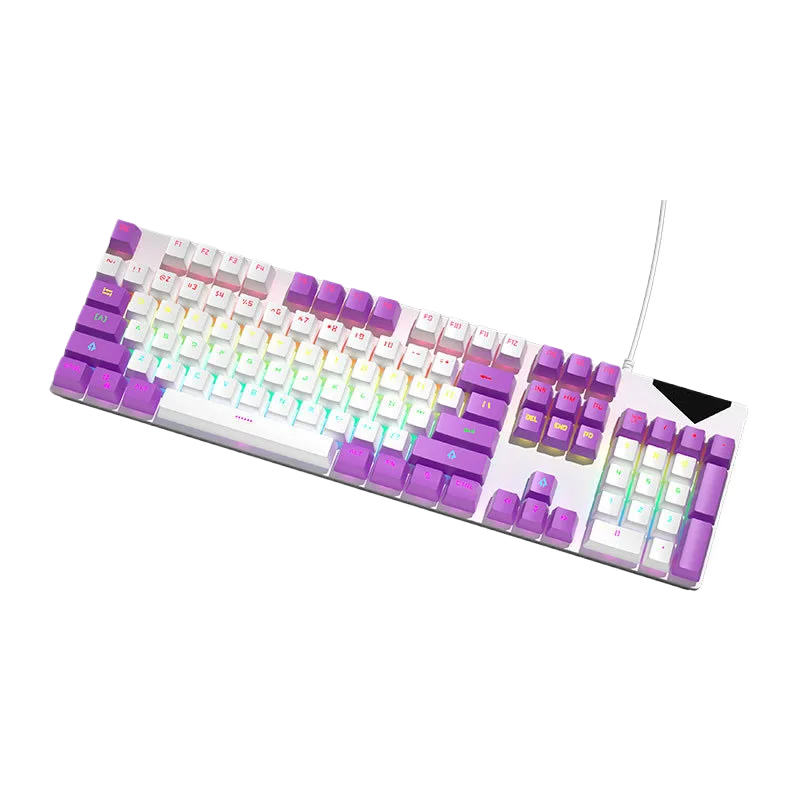
This is where understanding the supply chain pays off. Take a look at the allwinOEM/ODM Wired Mechanical Keyboard. At first glance, it has all the hallmarks of a premium product: a full-size layout, a stable wired connection, and an ergonomic design for comfort.
But the key is in its name: “OEM/ODM.” This tells you it comes directly from a source that manufactures keyboards for other brands. The value here is immense because you get access to the features that brands charge a premium for:
- Customizable Colors: Match your keyboard’s aesthetic to your entire setup.
- Choice of Switches: This is the most crucial part of a mechanical keyboard. The ability to choose your preferred switch type is a feature often reserved for high-end, expensive models.
By offering this level of personalization, the allwinOEM/ODM keyboard demonstrates that you don’t need to pay for multiple layers of branding to get a product tailored to your needs. You’re getting the core technology and quality without the inflated retail price.
Get the Keyboard You Want, Without the Markups
Whether you’re a gamer seeking a competitive edge, a professional who types all day, or even a business looking to source your own line of custom peripherals, looking at OEM/ODM options is the smartest move you can make. You get transparency, control, and most importantly, incredible value.
Ready to experience a premium, customizable keyboard at a price that makes sense? Explore the options and build your perfect typing machine today.
Check out the allwinOEM/ODM Customizable Mechanical Keyboard and see the factory-direct difference for yourself!


Add comment