
The Hidden Markups on USB-C Hubs: How to Get Factory-Direct Prices
Your New Laptop Has Fewer Ports. The Solution Shouldn’t Cost a Fortune.
Sleek, ultra-thin laptops and powerful smartphones are amazing, but they often come with a trade-off: a lack of ports. Suddenly, your trusty USB mouse, keyboard, and flash drive are competing for a single USB-C connection. The obvious solution is a USB-C hub, but a quick search reveals a baffling price range. Why does one 4-port hub cost $15 while a nearly identical one from a big brand costs $50 or more? The answer lies in a long and costly journey from the factory to you.
The Journey of a USB Hub: Unpacking the Price Tag
For common tech accessories like USB hubs, the price you pay is often inflated by a multi-layered supply chain. The product you buy from a major retailer doesn’t just appear on the shelf. In many cases, its journey looks something like this:
- The Factory: An Original Equipment Manufacturer (OEM) produces the hub based on standardized, high-quality components. This is the baseline cost.
- The Brand/Importer: A company buys these hubs in bulk, puts their logo on them, and designs fancy packaging. This adds significant marketing and branding costs.
- The Distributor: This middleman buys from the brand and sells to retailers, taking their own cut for logistics and warehousing.
- The Retailer: The final store (online or physical) adds its own markup to cover storefront costs, advertising, and profit.
By the time the hub reaches you, its price may have been marked up at every single step. You’re often paying more for branding and distribution than for the actual technology inside the device.
How to Find True Value in Tech Accessories
As a savvy buyer, you can bypass these markups by looking for products closer to the source. When shopping for a USB hub, don’t just look at the brand name. Pay attention to what really matters:
- Core Specifications: Does it have the ports you need? Is it USB 3.0 for high-speed data transfer, or the slower USB 2.0? Does it support useful features like OTG (On-The-Go) for connecting peripherals to your phone?
- The Seller’s Name: Look for names that suggest a direct-from-factory or OEM source. This is often a clue that you’re cutting out several layers of middlemen.
- Function over Frills: A simple, functional design from a direct source can offer the exact same performance as a heavily marketed product in a glossy box.
A Smarter Choice: The allwinOEM/ODM 4-Port USB-C Hub
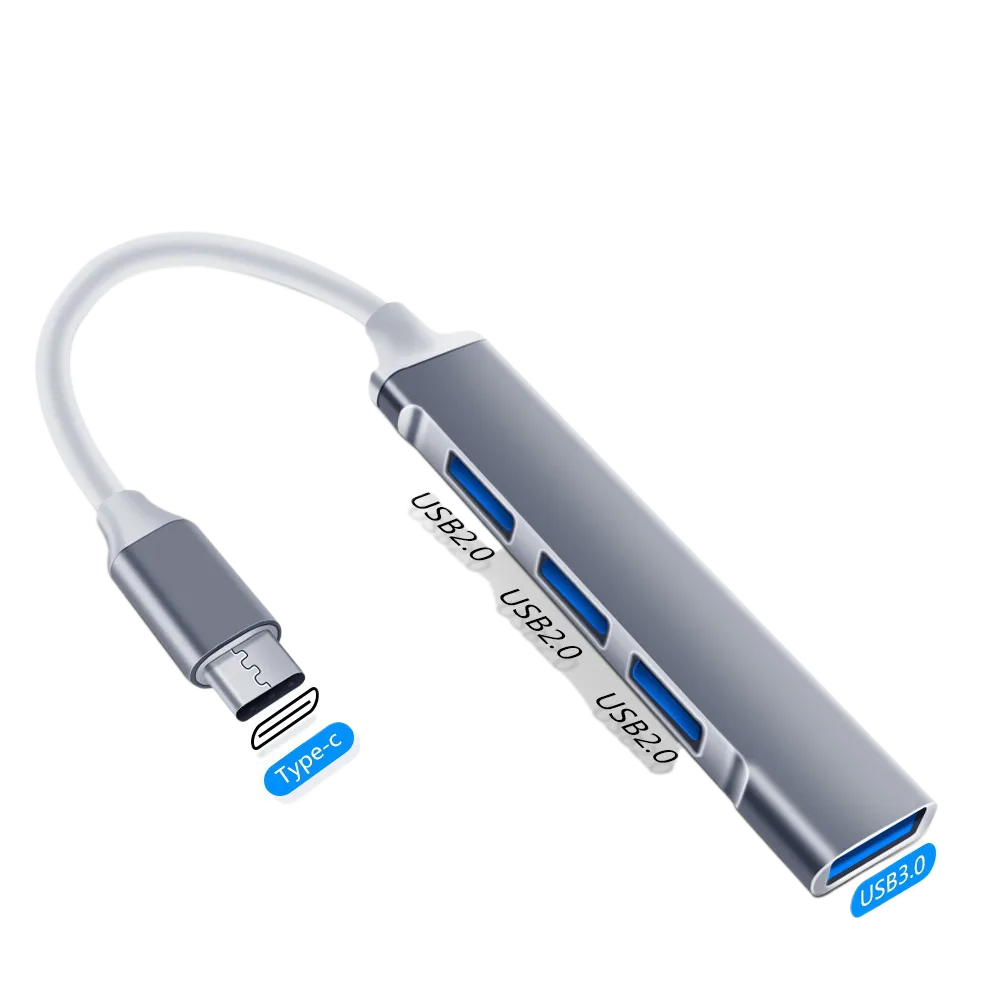
Instead of overpaying for a brand name, consider a product that delivers on the core essentials without the inflated price tag. This is where sourcing directly makes a huge difference. For example, the allwinOEM/ODM Type-C to 4-Port USB 3.0 Hub is a perfect illustration of this principle.
It checks all the essential boxes for a modern user:
- Expands Connectivity: It turns one USB-C port into four powerful USB 3.0 ports.
- High-Speed Performance: USB 3.0 ensures your file transfers are fast and efficient, not a bottleneck.
- Versatile Functionality: With OTG support, you can easily connect a mouse, keyboard, or flash drive directly to your compatible smartphone, turning it into a mini workstation.
The key is in the name: “allwinOEM/ODM.” This indicates it comes from the source—the original manufacturer. You get the essential, reliable technology without paying for multiple layers of marketing and distribution markups.
Connect More, Pay Less
You don’t need to pay a premium for everyday connectivity. By understanding where the costs come from, you can make smarter purchasing decisions. Choosing a direct-source product gives you the functionality you need at a price that reflects its true value.
Ready to expand your device’s potential without breaking the bank? Check out the allwinOEM/ODM Type-C to 4-Port USB 3.0 Hub and experience the factory-direct advantage.


Add comment